
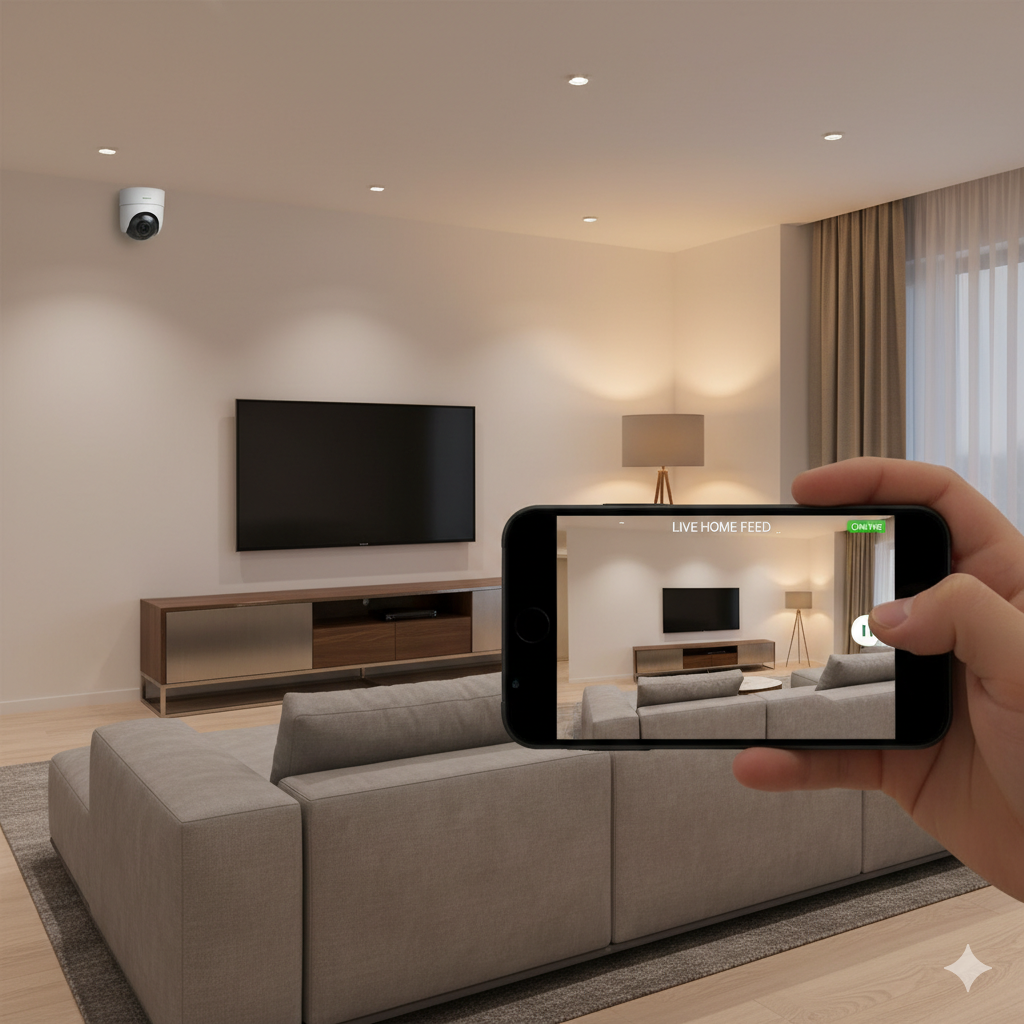
Staying connected to your home—no matter where you are—gives true peace of mind. Today’s technology makes remote home monitoring possible, allowing you to keep an eye on your property in real-time through your smartphone. This guide covers everything you need to know to set up, manage, and benefit from robust home monitoring, right from the palm of your hand.
Why Remote Home Monitoring Matters
Life doesn’t pause when you leave your home. Whether you’re across town, traveling for business, or relaxing on vacation, your house, pets, and loved ones deserve protection. Remote home monitoring grants you immediate access to what’s happening inside or around your home, giving you control and confidence without being physically present.
- Instantly check on family members or pets while you’re away.
- Receive real-time alerts about unusual activity.
- Capture evidence in the event of a break-in or accident.
- Deter criminal activity with the visibility of cameras.
Remote home monitoring isn’t just about stopping crime; it’s equally about ensuring comfort and convenience.
Getting Started: What You Need
Before you can view your security camera on your phone, you’ll need a few essentials. Most modern systems are designed for straightforward installation and intuitive mobile access. Here’s what to consider:
- Smart Security Cameras: Choose indoor, outdoor, or doorbell cameras compatible with mobile streaming.
- Reliable Internet Connection: Cameras connect through Wi-Fi or Ethernet for live streaming and notifications.
- Home Security Mobile App: The app acts as your command center, letting you see live footage, review recordings, and control features remotely.
- Mobile Device (iOS/Android): Your smartphone or tablet will serve as your monitoring hub.
Make sure your chosen cameras and app work with your phone’s operating system for seamless operation.
How to Set Up Remote Home Monitoring
Setting up your system typically requires little more than basic DIY skills. Here’s a step-by-step overview:
1. Install Security Cameras in Key Locations
Strategic placement improves coverage and security. Position cameras:
- Near main entry points (doors, gates, garage).
- In main living spaces or hallways.
- Overlooking driveways, backyards, and vulnerable windows.
Weather-resistant options are best for outdoor areas.
2. Connect Cameras to Wi-Fi
Most security cameras connect wirelessly. Follow manufacturer instructions to join your home network. Secure your Wi-Fi with a strong password to prevent unauthorized access.
3. Download the Home Security App
Your camera brand will have a dedicated home security mobile app. Download it from the App Store or Google Play. Log in or create an account, then follow onscreen steps to pair your cameras.
4. Customize Settings and Alerts
Configure motion sensitivity, notification preferences, and recording schedules. Some apps allow you to set zones, so you’re only alerted when movement occurs in specific areas.
5. Test Viewing Live Video on Your Phone
Once setup is complete, use your mobile app to view security camera feeds in real time. Make sure audio, night vision, and two-way talk features function as expected.
Must-Have Features in a Home Security Mobile App
Not all home security mobile apps are created equal. The best ones offer a range of useful features that enhance your monitoring experience:
- Live View: Instantly view security camera on phone in high-definition.
- Push Notifications: Immediate alerts for motion, sound, or specific activities.
- Event Playback: Access and review recorded footage at any time.
- Cloud or Local Storage: Save footage securely for later evidence.
- Smart Integration: Link with voice assistants or other smart devices.
- Remote Control: Adjust camera angles, enable sirens, or speak through two-way audio.
Look for user-friendly interfaces and regular app updates for optimal performance.
Benefits of Monitoring Your Home Remotely
The advantages of remote home monitoring go beyond security. Here’s how mobile access can truly benefit homeowners:
- Peace of Mind Anytime: Always know who’s at your door, what’s happening inside, or check on pets while you’re at work.
- Immediate Response: Spot suspicious activity and notify authorities immediately—sometimes even before a break-in occurs.
- Family Safety: Ensure children or elderly relatives are safe, letting you check in visually at any moment.
- Package Protection: Deter porch pirates by monitoring deliveries and interacting with visitors in real time.
- Insurance Savings: Some insurers offer discounts for homes equipped with monitoring systems.
These benefits combine to make remote home monitoring not just a luxury, but a practical tool for daily life.
Tips for Maximizing Your Remote Monitoring Setup
To get the most out of your system, consider these best practices:
- Regularly Update Software: Keep the home security mobile app and camera firmware up to date to protect against vulnerabilities.
- Use Strong Passwords: Avoid default passwords and choose complex, unique credentials for accounts and Wi-Fi.
- Enable Two-Factor Authentication: Add an extra layer of security for remote access.
- Position Cameras for Coverage, Not Intrusion: Respect privacy by avoiding cameras in bedrooms or bathrooms.
- Set Sensible Notification Thresholds: Fine-tune alerts to avoid being overwhelmed by false alarms.
- Test and Maintain Equipment: Check cameras, power sources, and networks regularly for uninterrupted monitoring.
Advanced Options: Taking Monitoring to the Next Level
Today’s remote home monitoring is smarter than ever. Beyond simple live feeds, you can integrate more advanced solutions for greater peace of mind.
Smart Home Integration
Connect your cameras with smart lighting, locks, or thermostats for a more responsive home. For example, some systems trigger lights when motion is detected or allow you to unlock doors remotely for approved visitors.
Artificial Intelligence Features
Higher-end systems use AI to recognize faces, animals, or vehicles, minimizing unwanted alerts and providing relevant notifications. Some software distinguishes between routine activities and genuine threats.
Multiple User Access
Share viewing rights with family members or trusted friends. Many home security mobile apps let you set permissions for who can watch live footage or receive alerts.
Cloud Backups
Cloud storage offers off-site protection for important video clips, ensuring footage is safe even if hardware is damaged or stolen.
Protecting Privacy and Data Security
Remote home monitoring collects sensitive information, so safeguarding your data is essential. Here’s how to enhance privacy:
- Opt for cameras and apps with end-to-end encryption.
- Regularly update passwords and monitor login activity.
- Choose reputable brands known for robust data security practices.
- Familiarize yourself with privacy settings in your home security mobile app.
By prioritizing security, you ensure your monitoring system works for you, not against you.
Troubleshooting Common Issues
Even with reliable equipment, challenges can arise. Here’s how to tackle common problems:
- Connection Drops: Move cameras closer to the router or use Wi-Fi extenders.
- False Alerts: Adjust motion sensitivity or set detection zones in the app.
- App Crashes: Update the app, restart your phone, or reinstall if glitches persist.
- Poor Video Quality: Check your internet speed or adjust resolution settings.
Regular maintenance and updates often resolve most technical hiccups.
Simple Ways to Enhance Your Remote Monitoring Experience
Success with remote home monitoring comes down to attention to detail and regular care. Here are a few final tips:
- Mount cameras at appropriate heights to capture clear faces, not just the tops of heads.
- Clean lenses periodically for sharp video feeds.
- Label camera locations within your home security mobile app for easy reference.
- Review and test notifications, ensuring you get critical alerts when it matters most.
Small proactive steps ensure your system remains reliable day in and day out.
Conclusion
Remote home monitoring puts the safety of your home at your fingertips, allowing you to view security camera on phone anytime, anywhere. With the right tools and a smart approach, you’ll enjoy greater security and peace of mind, wherever life takes you. Explore the latest systems today and take control of your home’s protection.
Cloud vs Local Storage for Security Cameras: What Should You Choose?
Home Security Troubleshooting: Common Problems and Solutions
3 comments
CRYPTO SCAM RECOVERY SUCCESSFUL – A TESTIMONIAL OF LOST PASSWORD TO YOUR DIGITAL WALLET BACK.
My name is Robert Alfred, Am from Australia. I’m sharing my experience in the hope that it helps others who have been victims of crypto scams. A few months ago, I fell victim to a fraudulent crypto investment scheme linked to a broker company. I had invested heavily during a time when Bitcoin prices were rising, thinking it was a good opportunity. Unfortunately, I was scammed out of $120,000 AUD and the broker denied me access to my digital wallet and assets. It was a devastating experience that caused many sleepless nights. Crypto scams are increasingly common and often involve fake trading platforms, phishing attacks, and misleading investment opportunities. In my desperation, a friend from the crypto community recommended Capital Crypto Recovery Service, known for helping victims recover lost or stolen funds. After doing some research and reading multiple positive reviews, I reached out to Capital Crypto Recovery. I provided all the necessary information—wallet addresses, transaction history, and communication logs. Their expert team responded immediately and began investigating. Using advanced blockchain tracking techniques, they were able to trace the stolen Dogecoin, identify the scammer’s wallet, and coordinate with relevant authorities to freeze the funds before they could be moved. Incredibly, within 24 hours, Capital Crypto Recovery successfully recovered the majority of my stolen crypto assets. I was beyond relieved and truly grateful. Their professionalism, transparency, and constant communication throughout the process gave me hope during a very difficult time. If you’ve been a victim of a crypto scam, I highly recommend them with full confidence contacting:
Email: Capitalcryptorecover@zohomail.com
Telegram: Capitalcryptorecover Contact: Recoverycapitalfastservice.com
Call/Text: +1 (336) 390-6684
CRYPTO SCAM RECOVERY SUCCESSFUL – A TESTIMONIAL OF LOST PASSWORD TO YOUR DIGITAL WALLET BACK.
My name is Robert Alfred, Am from Australia. I’m sharing my experience in the hope that it helps others who have been victims of crypto scams. A few months ago, I fell victim to a fraudulent crypto investment scheme linked to a broker company. I had invested heavily during a time when Bitcoin prices were rising, thinking it was a good opportunity. Unfortunately, I was scammed out of $120,000 AUD and the broker denied me access to my digital wallet and assets. It was a devastating experience that caused many sleepless nights. Crypto scams are increasingly common and often involve fake trading platforms, phishing attacks, and misleading investment opportunities. In my desperation, a friend from the crypto community recommended Capital Crypto Recovery Service, known for helping victims recover lost or stolen funds. After doing some research and reading multiple positive reviews, I reached out to Capital Crypto Recovery. I provided all the necessary information—wallet addresses, transaction history, and communication logs. Their expert team responded immediately and began investigating. Using advanced blockchain tracking techniques, they were able to trace the stolen Dogecoin, identify the scammer’s wallet, and coordinate with relevant authorities to freeze the funds before they could be moved. Incredibly, within 24 hours, Capital Crypto Recovery successfully recovered the majority of my stolen crypto assets. I was beyond relieved and truly grateful. Their professionalism, transparency, and constant communication throughout the process gave me hope during a very difficult time. If you’ve been a victim of a crypto scam, I highly recommend them with full confidence contacting:
Email: Capitalcryptorecover@zohomail.com
Telegram: Capitalcryptorecover Contact: Recoverycapitalfastservice.com
Call/Text: +1 (336) 390-6684
CYBER INTELLIGENCE | PRIVATE INVESTIGATION | DIGITAL SECURITY | HIRE META TECH RECOVERY PRO.
Need the TRUTH about your partner’s associates?
Lost access to your account?
Need to track a phone or recover data?
META TECH RECOVERY PRO uses advanced cyber technology and investigation skills to get results fast.
OUR SPECIALIZED SERVICES;
Phone Hacking, Tracing & Tracking. Social Media Account Hacking and Recovery. Email Account Recovery. Digital Investigation. Data Recovery & Protection. Background Checks. Private Investigation Fraud & Scam Investigation and Recovery. Cyber Security ProtectionWHY META TECH RECOVERY PRO?
✔ 100% Confidential Operations
✔ Fast & Accurate Results
✔ Advanced Cyber Tools
✔ Professional Investigators
✔ Trusted & Reliable
No matter the problem — we find the TRUTH & SOLUTION.
CONTACT NOW
whatsapp: +1 469 692 8049
Email: support@metatechrecoverypro.com
Location: USA, CANADA, AU, EU, ASIA.
META TECH RECOVERY PRO,
ACCESS. TRACE. RECOVER. PROTECT.